The Hidden Cost of Guessing: Why Sample Size Matters
In the high-stakes environment of B2B SaaS, marketing teams often treat A/B testing as a creative exercise rather than a statistical one. The result is a graveyard of inconclusive tests and false positives that misallocate development resources. The core issue is rarely the quality of the variant, but the insufficient data volume required to prove its efficacy. When conversion rates hover between 1% and 3%, the margin for error is razor-thin. A test that runs for two weeks but lacks statistical power is not just inefficient; it is dangerous, as it may lead you to implement changes that are merely random noise.
The primary risks of operating with small samples are severe. First, you face False Positives, where you believe a change works due to random variance, leading to the permanent implementation of a non-optimizing variant. Second, False Negatives occur when a genuine improvement is missed because the sample was too small to detect the effect. Finally, there is the cost of Wasted Resources, where design and engineering time is spent on variants that ultimately provide no measurable lift. The solution is not to run tests longer by habit, but to calculate the required sample size before the test begins. This proactive approach ensures you have enough data to detect a meaningful difference with high confidence.
Defining the Baseline and Minimum Detectable Effect
Before opening any calculator, you must define what you are measuring. In B2B SaaS, the metric is rarely a simple click; it is usually a high-intent action like demo requests, trial signups, or paid conversions. To establish a robust baseline, follow these four steps:
- Identify the Control Metric: Determine your current conversion rate (CR). For example, if your current demo request rate is 2.5%, that is your baseline.
- Determine the Minimum Detectable Effect (MDE): Decide how much improvement is necessary to justify the change. A 10% relative lift (from 2.5% to 2.75%) is a common target, but a 50% lift is statistically easier to detect. If your expected lift is small, consider testing larger, more impactful changes first.
- Set Your Confidence Level: Standard practice is 95% confidence (alpha = 0.05), meaning you accept a 5% risk of a false positive.
- Set Your Statistical Power: Aim for 80% power (beta = 0.20). This ensures there is an 80% chance you will detect the effect if it truly exists.
The MDE is the most critical variable here. Small MDEs (e.g., 5% relative lift) require massive sample sizes, often making tests infeasible for smaller B2B sites. Large MDEs (e.g., 20% relative lift) require fewer visitors, making them more practical for sites with limited traffic volume.
The Mathematics of Sample Size Calculation
While you do not need to perform these calculations by hand, understanding the logic is essential for interpreting results. Use dedicated tools like Evan Miller’s A/B Calculator or Optimizely’s Sample Size Calculator. The required sample size is driven by three factors: the baseline conversion rate, the desired lift, and the confidence/power settings.
Consider a typical B2B SaaS scenario:
- Baseline CR: 2.0%
- Target CR: 2.4% (a 20% relative lift)
- Confidence: 95%
- Power: 80%
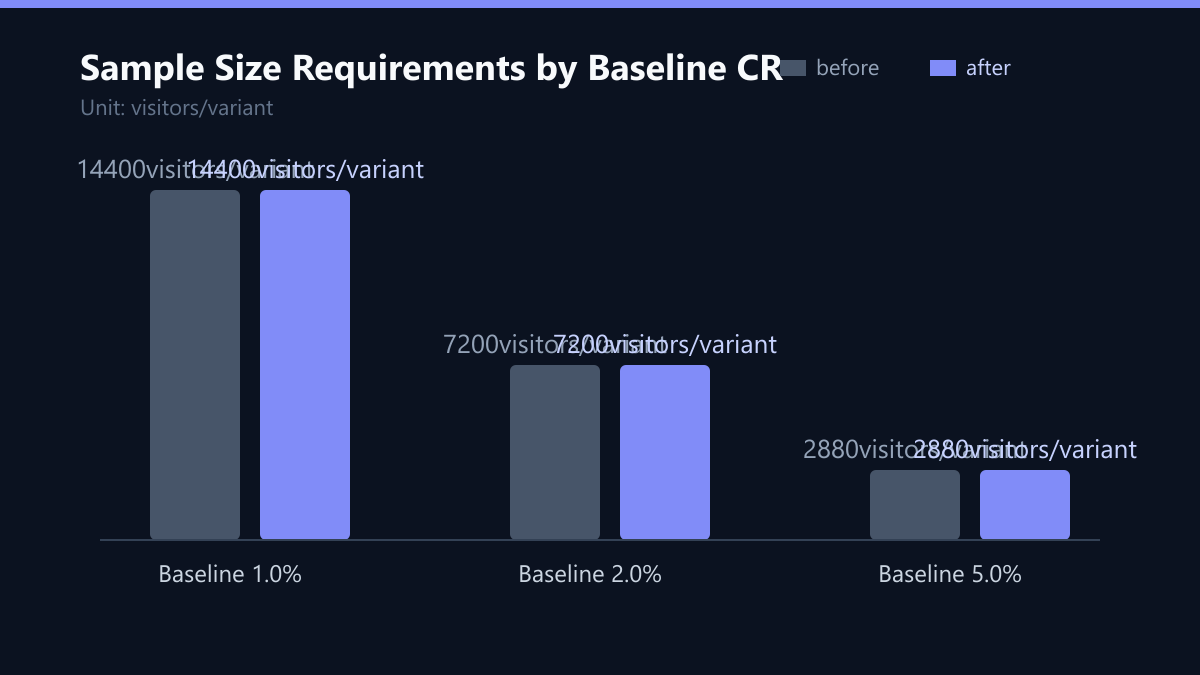
Using standard statistical formulas, the result is approximately 7,200 visitors per variant. If your site only receives 5,000 visitors per month, this test will take over two months to reach significance for a single variant. If you test multiple elements simultaneously, you must divide your traffic, further increasing the time required. Always calculate for per variant. If you have 3 variants (A, B, C), you need 3x the calculated sample size in total traffic.
Navigating B2B Specific Challenges
B2B environments present unique challenges compared to B2C e-commerce. Understanding these prevents costly errors in interpretation and execution.
1. The Long Sales Cycle Problem B2B conversions often happen days or weeks after the initial click. If you only count conversions that happen immediately, you will undercount the true impact of your variant. Use a consistent attribution window (e.g., 30 days) for both variants to ensure fairness. This requires patience, as the final data set will not be complete until the attribution window closes for the last visitor in the test.
2. Small Traffic Volume Many B2B SaaS sites have 5,000-20,000 monthly visitors. This limits the number of concurrent tests you can run. Prioritize high-impact pages (pricing, homepage, demo page) over minor copy tweaks. A 2% lift on a high-traffic pricing page is more valuable than a 10% lift on a low-traffic blog page.
3. Seasonality and Campaigns Do not start a test during a major marketing campaign, product launch, or holiday. External factors will skew your baseline and make it impossible to attribute changes to the variant. Wait for a stable traffic period with consistent ad spend and organic performance.
4. Ignoring Segment Differences A variant might work for ‘Enterprise’ leads but hurt ‘SMB’ leads. Always analyze results by segment. If the overall test is neutral, a segment analysis might reveal a winner for a specific persona, allowing you to implement the change selectively.
Implementation Workflow and Checklist
To ensure rigorous testing, follow this structured workflow. This process minimizes human error and ensures statistical validity.
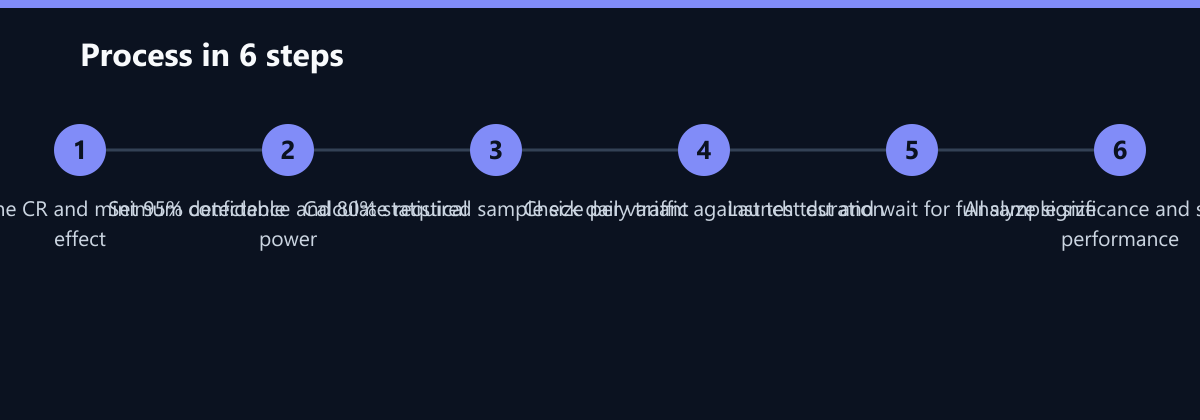
- Hypothesis: Formulate a clear, testable hypothesis. Example: ‘Changing the CTA color from blue to green will increase demo requests by 10% because green is associated with growth.’
- Baseline Check: Verify that your current conversion rate is stable over the last 3 months. Volatile baselines make significance calculations unreliable.
- Sample Size Calc: Use a calculator with your baseline, MDE, 95% confidence, and 80% power. Record the exact number of visitors needed per variant.
- Duration Check: Divide the required sample size by your daily traffic per variant. Ensure the test runs for at least 1-2 full business cycles (e.g., 2-4 weeks) to account for weekday/weekend differences and monthly budget cycles.
- Launch: Split traffic 50/50. Ensure no other changes are made to the tested page during the test. Freeze design and copy changes.
- Analyze: Wait for the full sample size. Do not look at interim results. Check overall significance first. Then, segment by lead source, company size, or geography.
- Decide: If significant and positive, implement. If not, document the learning and move to the next hypothesis.
Pre-Launch Checklist:
- Is the sample size calculated for the longest expected conversion path?
- Are tracking pixels firing correctly on all pages in the funnel?
- Is the control group stable (no other changes deployed)?
- Have you confirmed the test duration allows for a full business cycle?
Interpreting Results: Significance vs. Practicality
Reaching statistical significance is a necessary condition, not a sufficient one. A result can be statistically significant but practically irrelevant.
Statistical Significance means the p-value is less than 0.05. This indicates there is less than a 5% probability that the observed difference is due to chance. It does not mean the variant is ‘95% better’. It means you are 95% confident the difference is real.
Practical Significance asks: Does the lift matter for your business? A 0.1% increase in conversion might be statistically significant with a huge sample, but it may not justify the implementation cost or the risk of change.
Rule of Thumb: If the confidence interval for the lift includes 0%, the result is not significant. If the entire interval is positive, it is significant. Always check the confidence interval, not just the p-value.
When to Stop a Test:
- Do Not Stop Early: Checking results daily and stopping as soon as you see significance increases the risk of false positives. This is known as ‘peeking’ and invalidates the statistical test.
- Wait for the Sample Size: Let the test run until you reach the pre-calculated sample size.
- Exception: Stop early only if the result is catastrophically negative (e.g., a 50% drop in conversions) to protect user experience and revenue.
Typical Mistakes to Avoid
Even with the right tools, teams make consistent errors that undermine test integrity.
- Testing Multiple Variables at Once: If you change the headline, the image, and the CTA color simultaneously, you cannot attribute the lift to any specific change. Stick to one variable per test (A/B, not A/B/C/D/E with multiple changes).
- Ignoring Segment Heterogeneity: Declaring a ‘win’ based on aggregate data when the lift is driven entirely by one small segment. This leads to poor generalizations and failed rollouts.
- Short Test Durations: Running a test for only 3-4 days. This fails to capture weekly patterns (e.g., B2B buyers are less active on weekends) and leads to high variance.
- Lack of Hypothesis Documentation: Running tests without a clear, written hypothesis makes it difficult to learn from negative results. If you don’t know why you thought it would work, you can’t learn from why it didn’t.
How You Measure Success
Success in A/B testing is not just about winning tests; it is about the efficiency of your testing program. Measure the following KPIs:
- Test Velocity: The number of tests completed per quarter. Aim for a consistent cadence, e.g., 2-4 tests per month.
- Win Rate: The percentage of tests that result in a statistically significant positive lift. A healthy win rate is 20-40%. If it is higher, your MDE might be too low or your baseline too stable. If it is lower, your hypotheses may be weak.
- Time to Significance: The average number of days from launch to reaching the required sample size. This metric helps you optimize traffic allocation and test prioritization.
- Lift Contribution: The total percentage lift in conversion rate attributed to implemented A/B tests over a 12-month period. This is the ultimate business impact metric.
To measure these, maintain a centralized test log (e.g., in Notion, Airtable, or a spreadsheet). Record the hypothesis, baseline, sample size, duration, result, and decision for every test. This log becomes your institutional memory and a source of insights for future hypotheses.
Tools for Rigorous Testing
- Calculators: Evan Miller’s A/B Calculator, Optimizely Sample Size Calculator.
- Testing Platforms: VWO, Optimizely, GA4 Experiments (for simple A/B), or third-party tools like LaunchDarkly for feature flags.
- Analysis: Excel or Python for segment analysis if your testing platform lacks depth. Python’s
scipy.statslibrary is particularly useful for custom significance tests and confidence interval calculations.
By adhering to these statistical principles and avoiding common pitfalls, you transform A/B testing from a guessing game into a reliable engine for growth. The key is discipline: calculate first, test second, and interpret with nuance.