The Silent Killer of Your B2B Ad Budget
In the high-stakes environment of B2B SaaS marketing, ad fatigue is not just a nuisance; it is a structural failure of your acquisition strategy. When your audience sees the same creative too often, the psychological response is immediate: disengagement. This manifests as declining click-through rates (CTR) and soaring costs per acquisition (CPA). Unlike B2C, where broad reach can mask fatigue, B2B audiences are smaller, high-intent, and highly specialized. This makes them susceptible to burnout far faster than general consumers.
Static campaigns ignore user behavior. They blindly show the same message to users who have already converted and those who have never engaged. This mismatch does two things: it wastes your budget on low-probability conversions, and it signals low relevance to Meta’s algorithm, which subsequently raises your auction prices. The result is a vicious cycle where you pay more for less.
Key indicators that your campaigns are suffering from fatigue include:
- CTR drops by more than 20% within two weeks.
- Frequency exceeds 3.0 for cold audiences.
- Cost per Lead (CPL) rises despite a stable budget.
To break this cycle, you cannot rely on manual intervention. You need a dynamic system that reacts to performance data in real time, bridging the gap between your CRM insights and your ad platform execution.
Bridging the Gap: HubSpot and Meta Integration
Manual creative swaps are too slow for modern ad platforms. By the time a marketer notices a dip in performance, reviews the data, and updates the ad, the algorithm has already penalized the account for inefficiency. You need an automated pipeline that syncs data between your CRM and ad platform. This ensures creative rotation aligns with lead quality and user journey stage.
The technical setup requires two main connections:
- Meta Marketing API: Grants access to campaign performance metrics and creative assets.
- HubSpot API: Provides lead status, lifecycle stage, and engagement data.
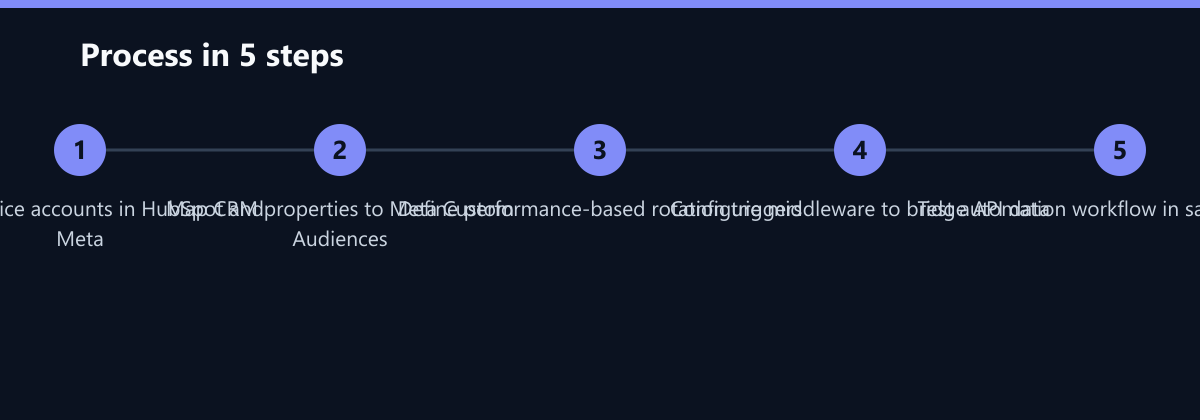
Implementation Steps:
- Create Service Accounts: Establish service accounts with appropriate permissions in both platforms. This ensures that API calls are secure and auditable.
- Bridge the APIs: Use a middleware tool (like Zapier, Make, or a custom Python script) to bridge the APIs. This layer handles the translation of data formats and triggers.
- Map Properties: Map HubSpot properties (e.g.,
lifecycle_stage,last_engagement_date) to Meta Custom Audiences. This allows you to exclude converters or target specific segments dynamically. - Define Triggers: Set specific performance thresholds that will initiate a creative swap.
Defining Intelligent Rotation Triggers
Time-based swaps (e.g., “rotate every Monday”) are inefficient. They ignore actual user response. Instead, use performance-based triggers that reflect real-world behavior. These triggers act as the “brain” of your automation system.
Common triggers include:
- CTR Threshold: Rotate if CTR falls below 1.5% for 48 hours. This indicates the creative is no longer resonating.
- Frequency Cap: Rotate if average frequency exceeds 2.5. This prevents audience burnout before it becomes critical.
- Lead Quality: Rotate if the cost per qualified lead exceeds the target by 15%. This ensures you are not just buying clicks, but valuable leads.
These triggers ensure you only swap creatives when the current one is underperforming. This preserves budget for high-performing assets and keeps your account healthy in the eyes of the algorithm.
The Automation Workflow: From Trigger to Swap
Once a trigger is met, the system must execute the swap automatically. This involves pausing the old creative and activating a new one from a pre-approved pool. Speed is critical here. The goal is to minimize the “dead time” where an underperforming ad is still consuming budget.
The automation workflow:
- Monitor: The system monitors ad set performance via the Meta API every 6 hours.
- Validate: It checks HubSpot for recent lead conversion rates to ensure the decline isn’t due to a downstream CRM issue.
- Select: If triggers are met, the system identifies the next creative in the rotation queue. This queue should be pre-optimized and approved.
- Pause: The underperforming creative is paused via the Meta API.
- Activate & Log: The new creative is activated, and the change is logged in HubSpot for attribution tracking.
This process takes less than 10 seconds. It eliminates human error and ensures consistent optimization, even while your team sleeps.
Measuring the Impact: Data-Driven Validation
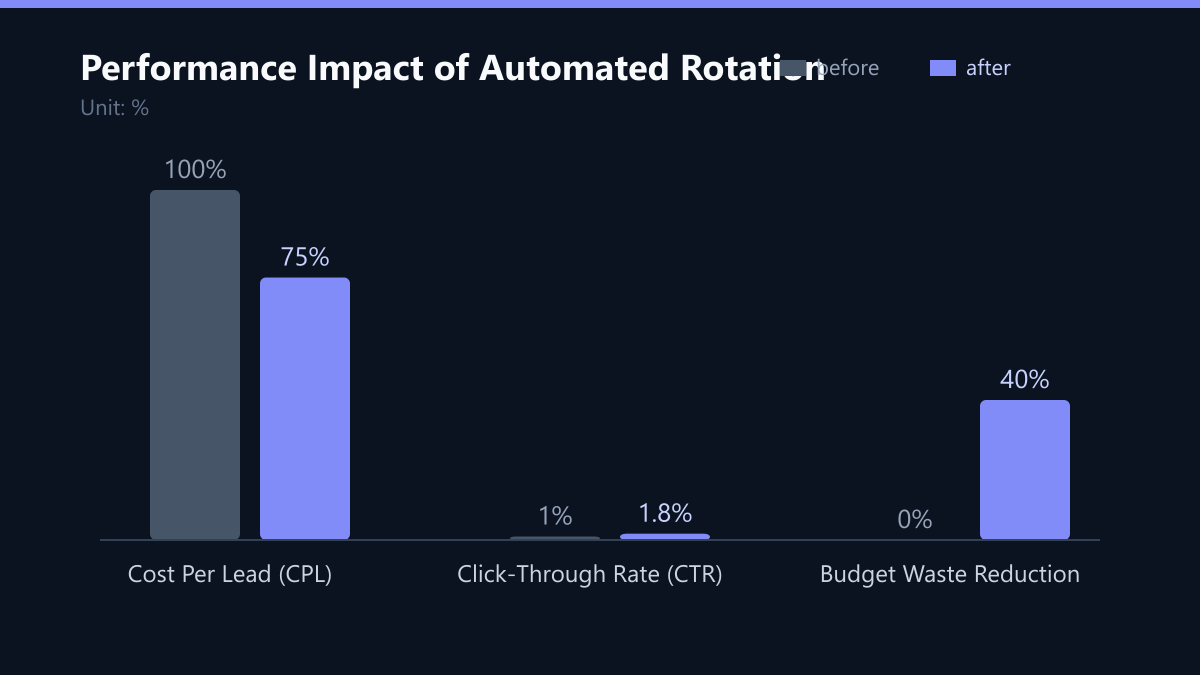
You need to track the results of automated rotation. Compare performance before and after implementation. Focus on efficiency metrics rather than vanity metrics. The goal is to prove that the automation saves money and improves lead quality.
Key metrics to monitor:
- Blended CTR: Should stabilize or increase after rotation.
- Cost per Acquisition (CPA): Should decrease as fatigue is reduced.
- Creative Lifespan: Average number of days before a swap. This helps you understand how long your creatives last.
Comparison Table:
| Metric | Manual Rotation | Automated Rotation |
|---|---|---|
| Reaction Time | 24-48 hours | < 10 seconds |
| Frequency Control | Reactive | Proactive |
| Budget Waste | High | Minimal |
| Human Effort | High | Low |
Data shows that automated systems reduce CPL by 15-25% in the first month. This is not just a marginal improvement; it is a significant competitive advantage.
Building a Resilient Creative Pool
Automation is only as good as the creatives you feed it. If your pool consists of five variations of the same message, you will still hit fatigue. You need a diverse pool of assets to keep users engaged. Avoid reusing the same message in different formats; instead, change the angle.
Structure your creative pool by:
- Value Proposition: Different angles for the same product (e.g., speed vs. cost vs. security).
- Format: Video, image, carousel, and text. Different formats appeal to different user preferences.
- Audience Segment: Cold, warm, and retargeting audiences. A cold audience needs awareness; a warm audience needs consideration.
Tips for success:
- Test at least three distinct angles per campaign.
- Update creative assets quarterly to maintain novelty.
- Use HubSpot to tag leads by creative variant for attribution.
This ensures your automation system has enough options to stay effective over time.
Typical Mistakes to Avoid
Even with the best tools, implementation errors can sabotage your results. Here are the most common pitfalls:
- Ignoring the “Warm” Audience: Focusing only on cold traffic. If you don’t retarget users who have engaged but not converted, you miss out on high-intent leads. Ensure your rotation logic includes retargeting pools.
- Too Small a Creative Pool: If you only have 2-3 creatives, the system will cycle through them too quickly, causing new fatigue. Aim for at least 5-7 distinct assets per campaign.
- Not Logging Changes: If you don’t log which creative was swapped and when, you lose attribution data. You won’t know which creative drove the best leads, making future optimization impossible.
How You Measure Success
To determine if your automated rotation is working, track these specific KPIs:
- CPL Trend: Monitor the 7-day rolling average of CPL. A downward trend indicates success.
- Frequency Stability: Ensure average frequency stays below 2.5 for cold audiences. If it spikes, your triggers are too lenient.
- Lead Quality Score: Use HubSpot to score leads based on engagement. If the average score of leads from automated campaigns is higher than manual ones, you are winning.
Method: Set up a dashboard in HubSpot that pulls data from both Meta and HubSpot. Create a weekly report that compares the performance of automated ad sets versus control ad sets (if applicable).
Checklist for Implementation
- Define your performance triggers (CTR, Frequency, CPL).
- Build your creative pool (at least 5 distinct assets).
- Set up API connections between HubSpot and Meta.
- Configure the middleware to handle data syncing.
- Test the automation in a sandbox environment.
- Launch with a small budget and monitor closely.
By implementing this system, you transform your ad spend from a static cost center into a dynamic, self-optimizing engine. You stop guessing and start reacting to real-world data, ensuring every euro is spent on the most relevant message for the right user at the right time.